How to find me the first day!

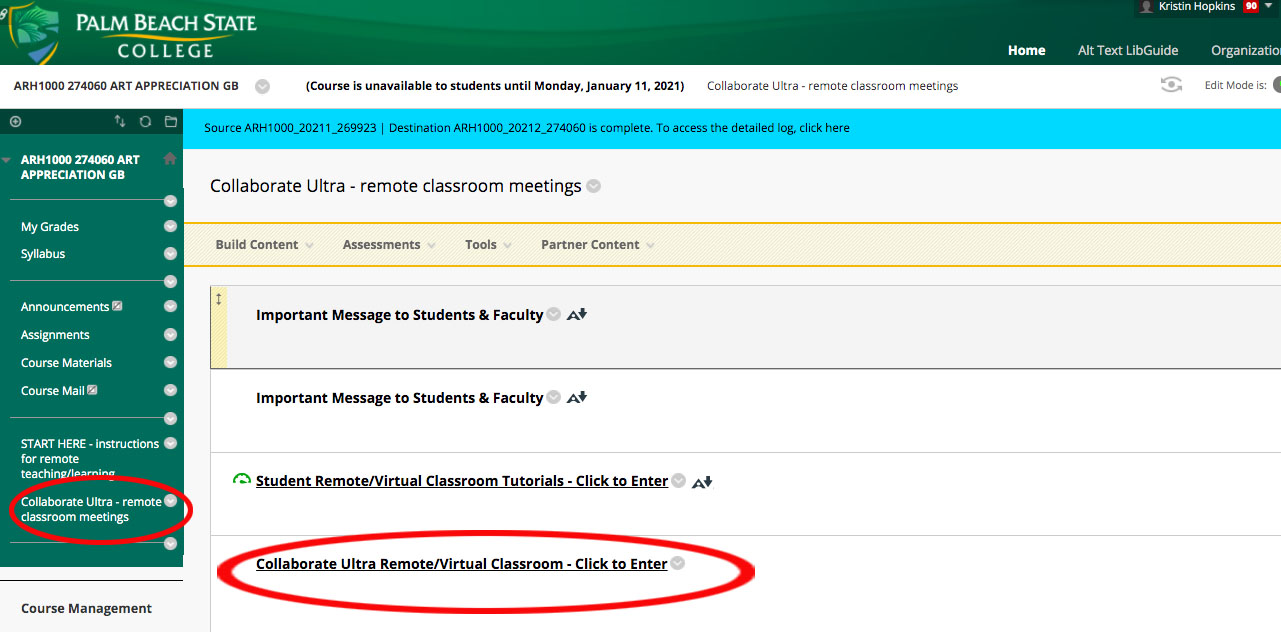
Log into Blackboard.

Click the green left menu – Collaborate Ultra

Click Collaborate Ultra – Click to Enter

Click on “Session” for the day of your course (there will only be one)

See you soon!

Adobe software

Hello students,

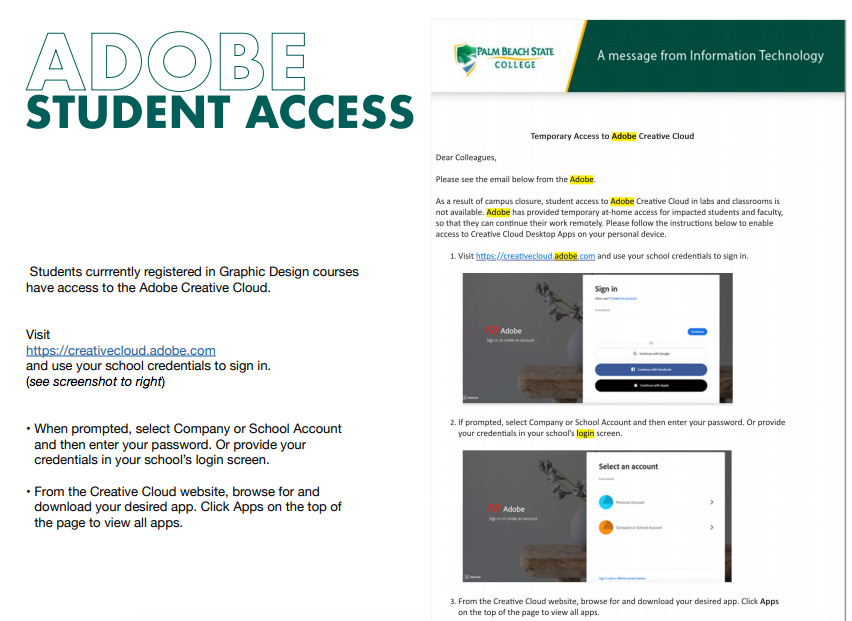
Each of you in Design Fundamentals (using Photoshop and Illustrator), Intro to Mac Graphics (using Photoshop, Illustrator and InDesign) and Illustrator 1 (obviously using Illustrator) will be using the Adobe Creative Suite. You will need these programs to be successful in the course. Many of you already have access to them.. if you do not – please see the below image on how to log into the Creative Cloud with your school credentials. Please have these programs downloaded and ready to work!

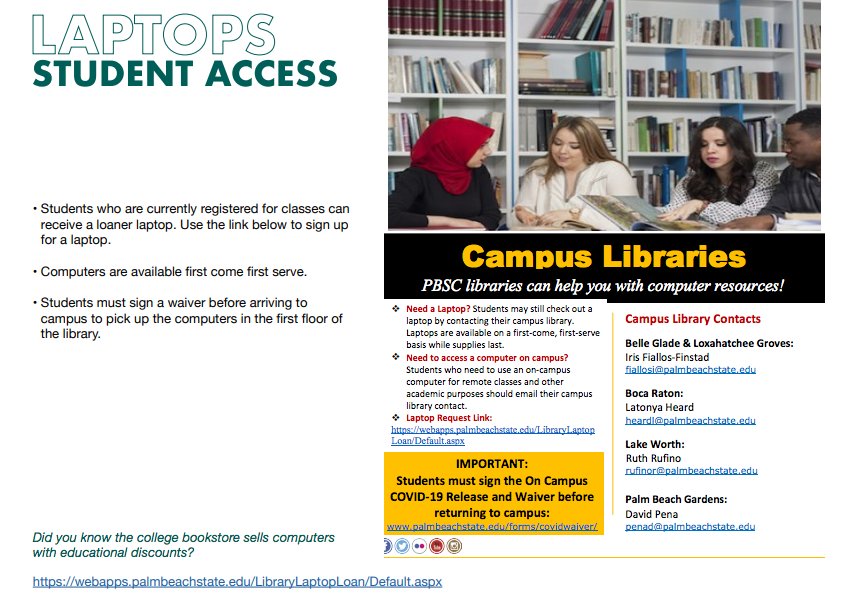
The college also has laptop computers to lend. They are available on a first come first serve basis. 

For laptops visit the LW Library first floor:

Get a certificate!

See this downloadable PDF below for information on your Graphic Design degree, and how to add a Graphic Design Support Certificate (which you have probably taken all the courses for!). More degrees can’t hurt! This is something you can add to your resume and doesn’t cost you any more time or money than what you have already worked for. Receiving the Certificate isn’t automatic – you need to add it! Victoria Martin worked really hard on this pdf to give you step-by-step instructions. Please check it out!

Blog at WordPress.com.

Up ↑